Edit gestures
Choose what each gesture does, separately for this app, Everywhere and the camera.
Open Settings, Edit gestures (or Edit next to the gesture list on Home). The editor opens on the tab for the mode Home is in.
Check the tabs at the top: In this app, Everywhere and Camera each have their own map. Changes for other apps belong on the Everywhere tab.
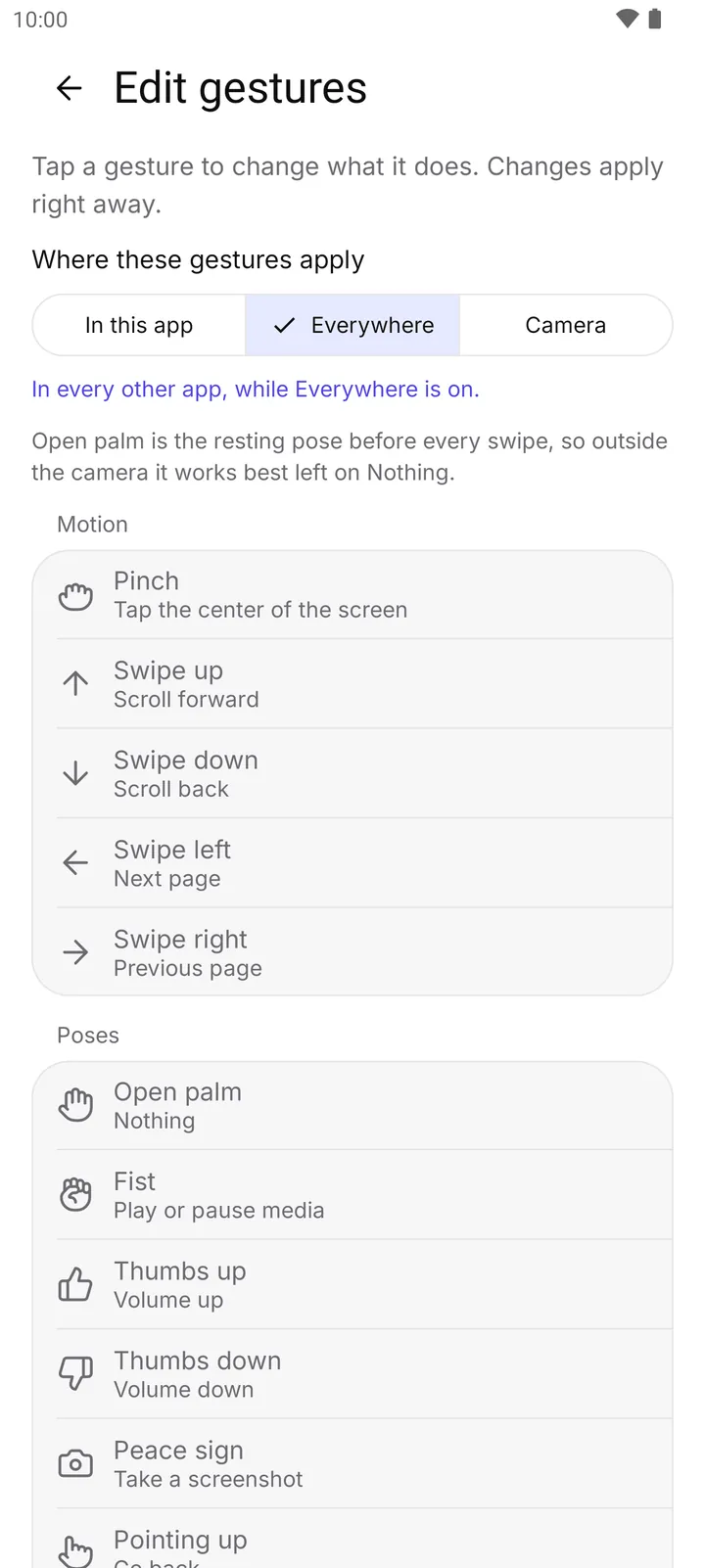
- Everywhere tab
- Where the tab applies
Tap a gesture and pick an action. Changes apply at once, even while Everywhere runs, and are kept after a restart. A Changed label marks your edits.
Open an app (Everywhere tab) lets you pick any app from your launcher.
How to turn it off
- Reset this tab or Reset all at the bottom of the editor puts the default actions back.