Choose your voice AI app
The Assistant gesture opens your default digital assistant or a voice AI app you pick, such as Gemini or ChatGPT. Never a list of apps.
Settings, Voice and AI, Voice AI app (or the Voice AI app row in Setup). The list shows your Default assistant first, then apps that start listening, then other AI apps. AirFlick AI reads Android's own setting, so another app that also answers voice commands (for example Alexa) is used only if you pick it.
Pick an app marked Starts listening and the gesture opens it ready for your question. An app marked Opens the app opens normally; for hands-free voice, make it your default assistant as below. ChatGPT can be set as the default assistant on Android in recent versions.
To change the default assistant itself, tap Open settings in the tip or the "No default assistant" message.
Android opens Digital assistant app (on some phones Default apps first; then tap Digital assistant app). Tap Default digital assistant app.
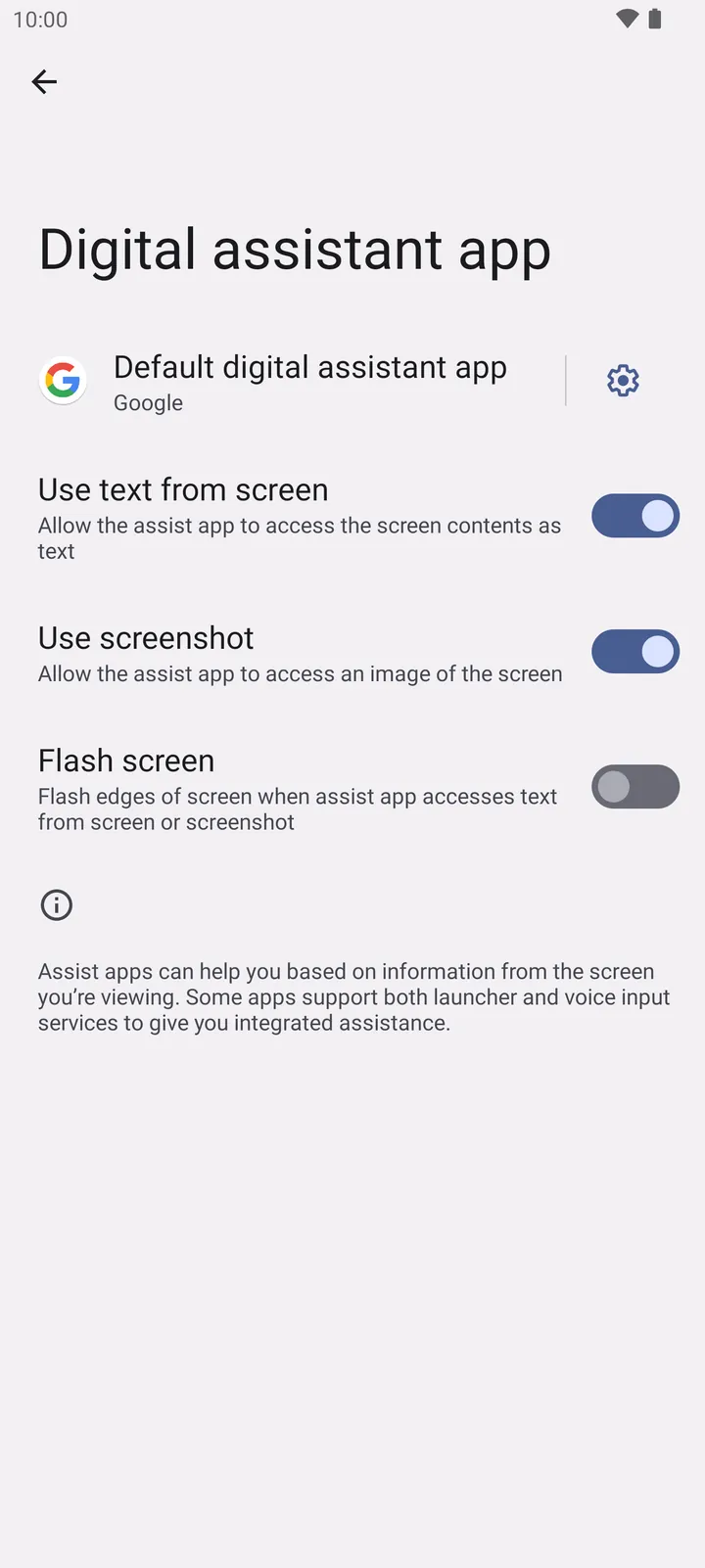
- Default digital assistant app
Pick your assistant, for example Gemini, Google or ChatGPT, and go back.
By default, the "I love you" sign opens the assistant on Home. You can map Assistant to other gestures, also in Everywhere, in Edit gestures.
On your phone
- Samsung
- Settings, Apps, Choose default apps, Digital assistant app.
- OnePlus, OPPO and realme
- Settings, Apps, Default apps, Digital assistant app.
- No assistant set
- AirFlick AI asks which voice AI app to use the first time you use the Assistant gesture. With nothing to open, it says so and offers Open settings or Pick an app.
How to turn it off
- Map the gesture to Nothing in Edit gestures, or set Default digital assistant app to None in Android settings.